

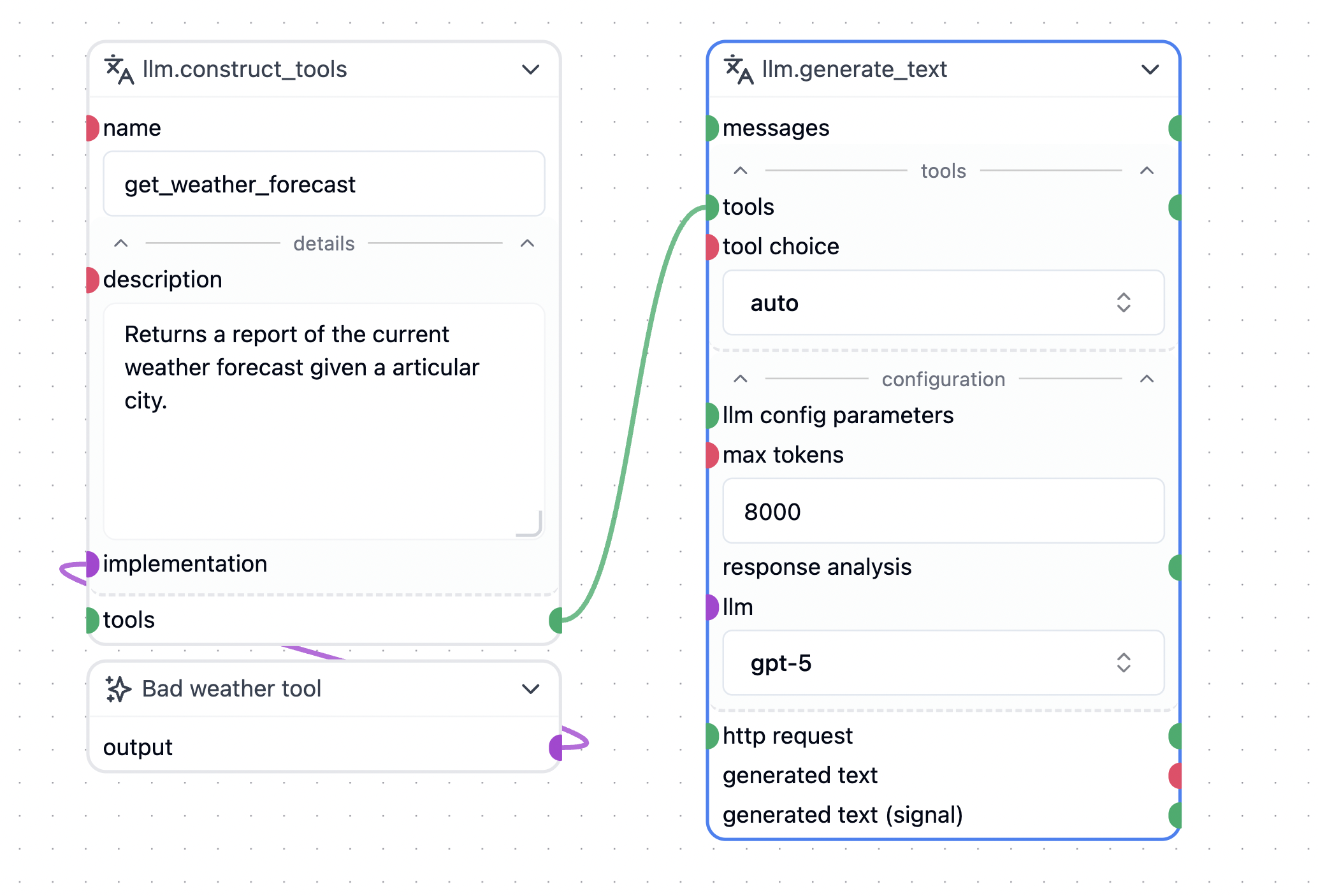
llm.generate_text node supports tools for:
- OpenAI’s GPT models
- Google’s Gemini models
- BergetAI’s GPT OSS model
tools socket onto the canvas and select llm.construct_tool.
This creates a template for your implementation. The implementation node is an API node that acts as the interface for your tool.
The only method you need to implement is async __call__.
Example:
__call__ method defines the parameters the LLM should send to the tool.
In some cases, you may need access to the internal state of the llm.generate_text node. To achieve this, define a function with the signature def inner_call(http=None, messages=None) and return this function instead of a standard string response.
Returning this function prompts the llm.generate_text node to invoke it with the http and messages arguments. This provides access to HTTP-specific context and the message history, which you can then search or forward to another LLM.
Example:
llm.construct_tool
The implementation of the tool is wrapped behind allm.construct_tool node. This node is an API node that acts as the interface for your tool. The only method you need to implement is async __call__. The llm.construct_tool node will automatically generate the necessary metadata for the tool, including the tool’s name, description, and parameters. The description can be provided by adding a def description(self) return "<description>" method to your API class, or it can be typed directly in the description field of the llm.construct_tool node.
The name of the tool, from the point of view of the LLM, is written in the name field of the llm.construct_tool node.
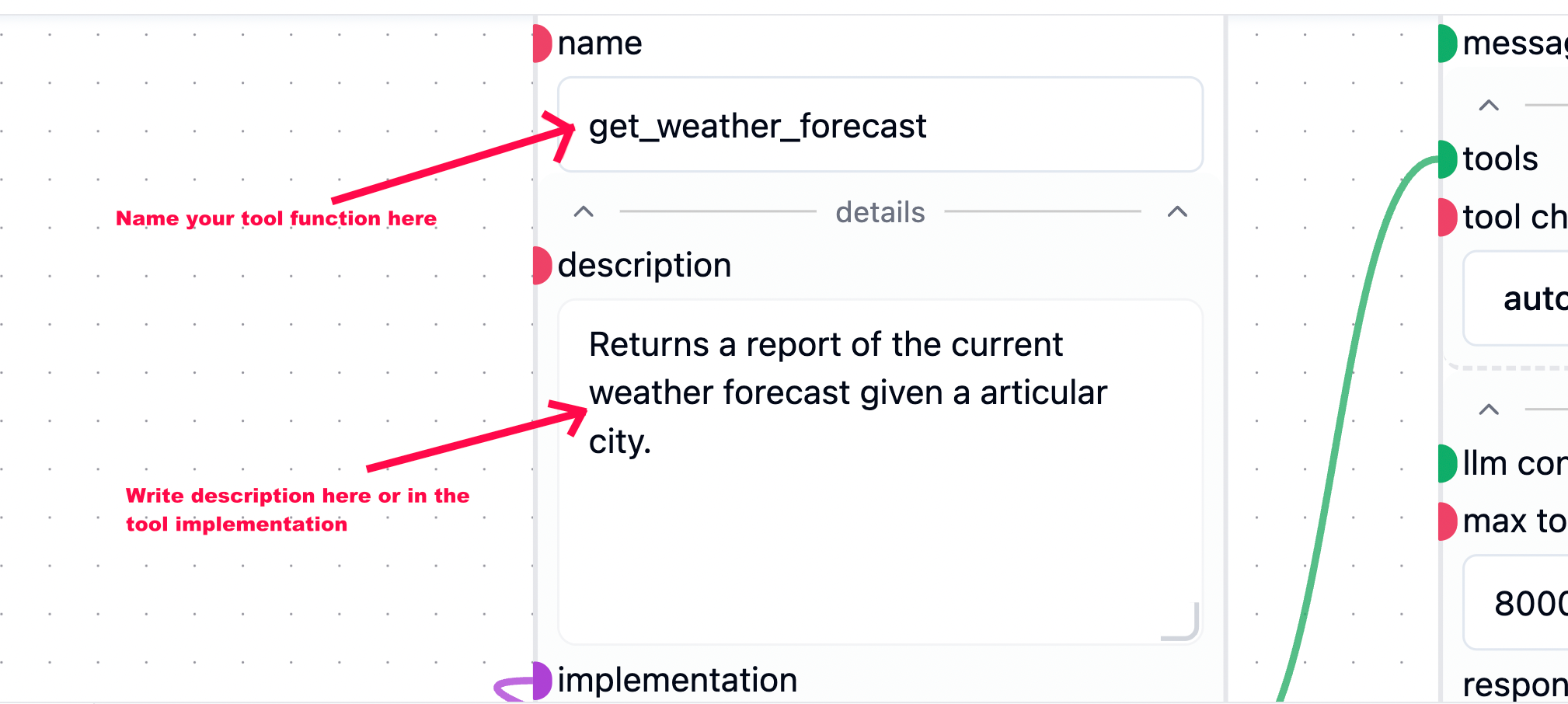
description field of the llm.construct_tool node will be updated with the description from the tool implementation node.
Example: